


Anyone with a browser link can open a BIM model. No install, no account, no IT ticket. Resolve's web viewer lets stakeholders join via a secure shared link, even without a Resolve account. That's the baseline. Where things get complicated is scale: a single-discipline file from a standard CDE loads fine, but a full federated model from a complex build can fail before a single piece of geometry draws. Knowing whether the browser, the file, or the viewer is responsible points you to the right fix.
TLDR:
- Browsers cap each tab at 2GB of memory; federated BIM models combining structural, MEP, and civil can exceed that before loading.
- Purge unused Revit families and export to NWD before uploading; optimization happens before the browser, not inside it.
- WebGPU became the preferred browser graphics API in late 2025 and coexists with WebGL; ask any viewer which backend it runs on.
- Most zero-install viewers handle single-discipline files well but fall short on large federated models across multiple trades.
- Resolve's web viewer lets guests join a live session via a secure shared link with no account, no download, and no setup required.
What a Web-Based BIM Viewer Actually Does
A web-based BIM viewer loads a 3D building model inside a browser tab. No installer. No account. No license. Share a link and the recipient opens the model on whatever device they have in front of them.
That barrier-free entry point is the whole value for the people who will never install Revit or Navisworks. The browser link is their only path into the model. A facilities manager, a superintendent, or an owner rep does not want to download software to look at one model in one meeting. They click, the model loads, and they can engage with what they are reviewing.
The core function follows from that premise: parse a BIM file, render the geometry in 3D, and let anyone with the link orbit, zoom, section, and inspect elements. Most viewers accept common formats like IFC, NWD, and RVT, though format support varies by tool and some require conversion before upload.
BIM has historically been a specialist's tool. Web viewers widen the circle of BIM model access for non-experts without requiring anyone to become a BIM specialist first.
Why Large BIM Models Break in the Browser
Most browsers cap each tab at 2GB of memory, and Procore's own documentation states that models exceeding this limit simply won't load on the web. A federated model combining structural, MEP, and civil disciplines can blow past that ceiling before a single piece of geometry draws.
Three other factors tend to cause large BIM model lag:
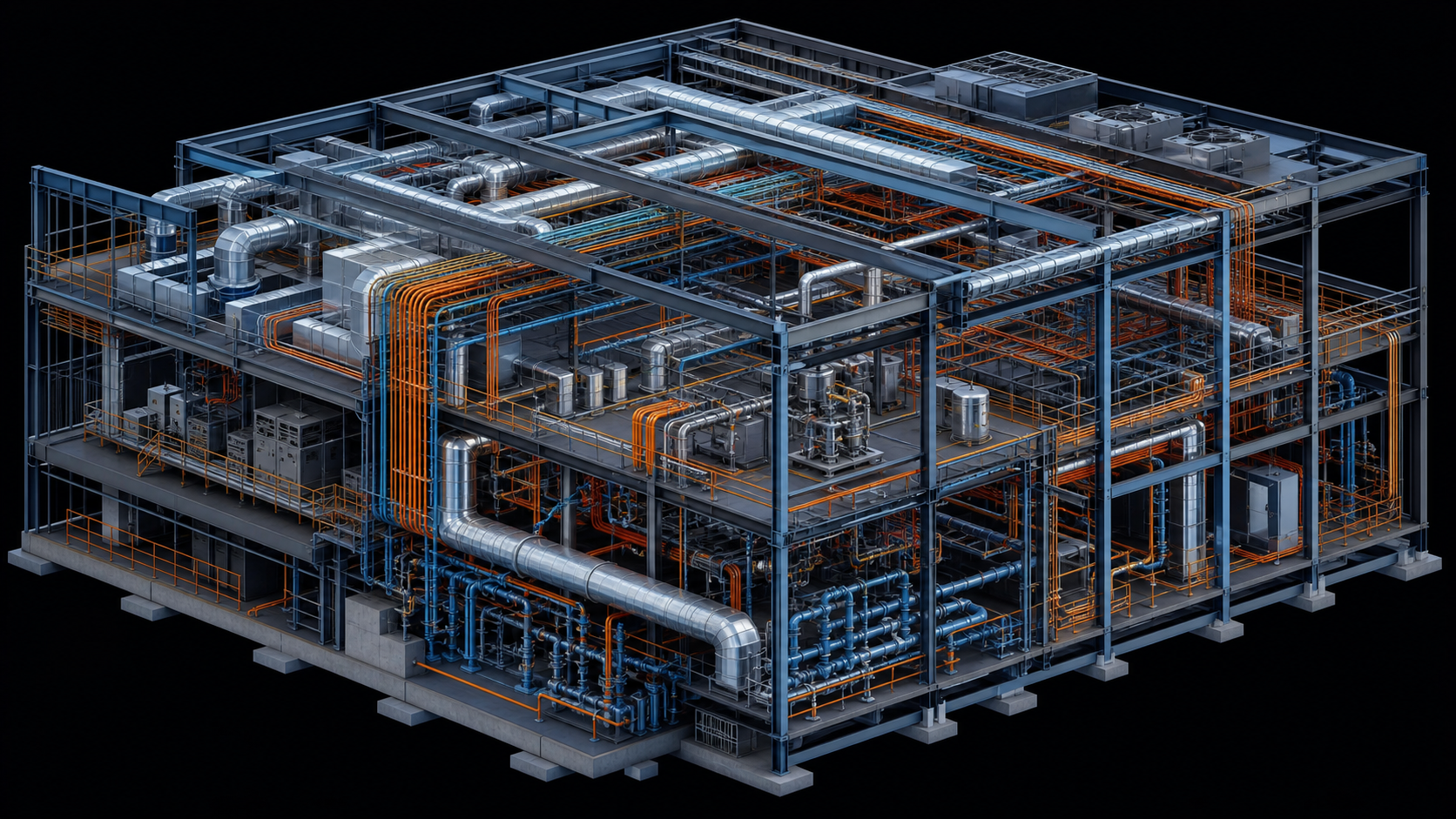
- High polygon counts from overly detailed Revit families, such as a generic valve modeled at full manufacturer fidelity and repeated across hundreds of instances
- Dense geometry the viewer must hold in memory all at once, with no incremental streaming
- Unoptimized file formats carrying redundant data the viewer cannot shed
Knowing which factor is responsible matters. A 2GB ceiling is a browser constraint. Bloated families are a model problem. Crashing on a 400MB file is a viewer problem. Each has a different fix.
How Modern Browsers Render 3D: WebGL vs. WebGPU
Every BIM viewer running in a browser relies on a graphics API to push geometry to the GPU. Until recently, that meant WebGL, a standard dating to 2011. WebGL works, but it was never designed for the geometry density a federated industrial model produces.
WebGPU changed that. With broad browser support since late 2025, it coexists with WebGL and gives web applications direct access to modern GPU capabilities, including compute shaders that handle real-time filtering and collision detection client-side, without cloud round-trips. For large BIM datasets, the practical result is faster load times and more stable frame rates under load.
Choosing a Viewer: Key Questions
Not all BIM viewers across web, iPad, and VR are built the same. The graphics backend is worth asking about directly.
- A viewer still on WebGL will hit a geometry ceiling sooner, with frame rate degradation and longer load times as model size grows.
- A WebGPU-backed renderer handles large-scale construction datasets more gracefully, keeping the model responsive when multiple disciplines are federated together.
How to Prepare a Large BIM Model for Browser Viewing
Optimization happens before upload, not in the browser.
A few steps that consistently reduce file size and load time:
- Purge unused families and groups in Revit before exporting. Revit files accumulate ghost elements quickly.
- Audit family geometry detail. A bolt modeled at full fidelity and copied 10,000 times across a model is a common source of bloat.
- Use discipline-specific model slices instead of uploading a full federation. Structural and MEP combined into one file often exceeds what a general-purpose viewer can handle.
- Export to a viewer-compatible format. NWD files from Navisworks, with the "May be re-saved" setting turned on, tend to perform better in BIM web viewers than raw RVT exports.
Smaller scope, cleaner geometry, and the right export format reduce the chance that the viewer becomes the bottleneck.
Supported File Formats Across Web BIM Viewers
Format choice affects load performance as much as file size does. The same model exported differently can behave like two separate projects in the browser.
| Format | Source | Notes |
|---|---|---|
| IFC | Open standard | Universal compatibility; verbose and slower to parse at scale |
| NWD/NWC | Navisworks | Compact and federation-ready; proprietary, requires Navisworks to produce |
| RVT | Revit | Rich metadata; most viewers require conversion before loading |
IFC travels everywhere but carries overhead. NWD files are leaner and handle federated models well, though they require Navisworks upstream. RVT files hold the most BIM data but rarely load directly without a conversion step.
One path that sidesteps the format question entirely: link models directly from a CDE like Autodesk ACC or Procore. The viewer pulls the model on its own, skipping manual export and upload.
Tools That Let You View BIM Models in a Browser Without Installing Software
Several tools offer zero-install browser viewing in 2026. Each fits a different workflow and stakeholder type.
| Tool | Formats | Best For | Notable Limitation |
|---|---|---|---|
| Autodesk Docs (ACC) | RVT, NWD, IFC | Teams already in the Autodesk ecosystem | Requires ACC account; large models may hit browser memory limits |
| Trimble Connect | IFC, NWD, SKP | European teams and Trimble CDE users | Less common outside Europe |
| BIMcollab Model WebViewer | IFC | Design teams using BCF workflows | IFC-only; no NWD support |
| Dalux BIM Viewer | IFC | Field and mobile-first teams | View-only; no federation |
| Speckle Viewer | IFC, Revit via connector | Open-source teams and developers | Requires connector setup on the authoring side |
Most of these tools handle smaller, single-discipline files without issue. Where they struggle is with large federated BIM models combining structural, MEP, and civil data across multiple trades. At that scale, format support and graphics architecture matter more than the feature list.
How Cross-Device Collaboration Works in Browser BIM Viewers
Browser viewing gets more valuable when it connects people, beyond simply displaying geometry.
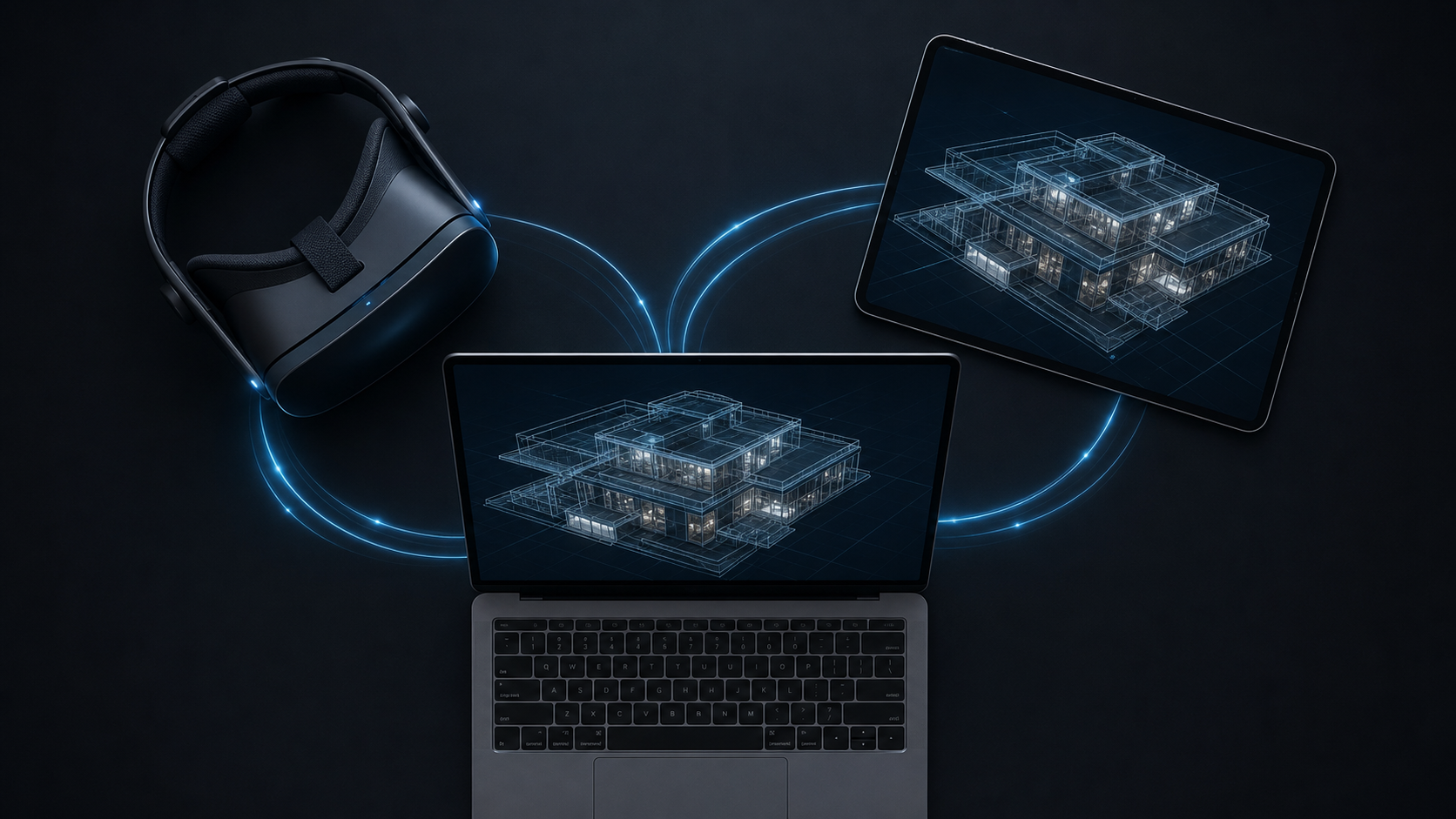
In real-time BIM collaboration tools, web participants join an active session via a shared link and can follow the session lead's perspective in real time. As the lead moves through the model, the web viewer updates to match. Participants can also break away into solo mode to inspect something independently, then rejoin the group. Annotations created during the session are visible across devices, regardless of software or device type.
Guest access matters here. A facilities manager or owner rep should be able to join from a browser link without an account, a download, or a training session. The tighter that barrier, the fewer people show up with meaningful feedback.
Permissions vary by tool. Autodesk Docs requires all participants to hold an ACC seat before they can open a model. Resolve allows view-only guest access via a secure shareable link with no account required, plus configurable expiry and access controls.
When the Browser Viewer Is Not Enough
Most browser viewers handle single-discipline files well. The friction appears earlier than you might expect, though. Many tools require every participant to hold an account or license before they can open the model. An owner rep joining one review call, a facilities manager checking a single detail, a specialty contractor confirming a clearance: each person hits a registration wall before they see anything. That barrier reduces who shows up and how much feedback actually lands.
The scale problem is separate. A federated industrial model combining structural steel, MEP, cable tray, and civil across a data center or pharma facility can exceed browser memory limits before the model fully loads. At that point, teams choose between splitting the model into discipline-specific slices or moving to a viewer built to handle the full federation. Multi-user coordination adds more pressure. Web viewers support following a presenter's view, but active issue creation, annotation, and spatial problem-solving across stakeholders from multiple companies requires a more controlled session environment.
The deepest gap is spatial. A superintendent reviewing a congested mechanical room on a flat screen can miss what a foreman standing inside that room in BIM virtual reality would flag in minutes. Inaccessible equipment, confined clearances, construction sequencing that only reads correctly at human scale: those issues do not register on a 2D screen. A BIM review in VR catches that category of risk after clash detection has run, not instead of it.
How Resolve's Lightning Viewer Handles Complex BIM in the Browser
Anyone with a shared link can join a Lightning Viewer session. No account. No download. No setup before the call. That is the capability that brings in the stakeholders who would never install software: the owner rep, the facilities manager, the trade partner who is on-site with a laptop and ten minutes before a pour. A secure, expiring link gets them into the model without an IT ticket.
The engine behind that experience is the Wellington Engine, written in C++ and compiled natively to WebGPU and Metal. It is the same graphics pipeline that powers the VR app, not a layer on top of a generic WebGL renderer. That architecture is why full federated models from data center and pharma builds open in the browser without downsizing, file splitting, or plugin installs.
Where general-purpose viewers hit the 2GB browser memory ceiling on dense industrial federations, the Wellington Engine uses virtualized geometry and custom occlusion culling to manage what gets drawn at any moment. The model does not need to fit entirely in browser memory to stay responsive and navigable.
The cross-device follow feature connects the browser directly to an active VR session. A web participant joins via that shared link and follows the VR user's perspective in real time. They can break into solo mode to inspect a detail independently, then rejoin the group. Annotations created during the session are visible across VR, web, and iPad at the same time. A superintendent can be inside the mechanical room during a constructability review in VR while trade partners and the owner rep follow along from a browser tab on their laptops.
Final Thoughts on Viewing Large BIM Models in a Web Browser
The biggest barrier to BIM access is rarely file size. It is requiring an account. A facilities manager, an owner rep, or a trade partner who has to create a login before a review meeting often does not show up at all. When anyone can join via a secure link, the right people arrive with real feedback, and the model becomes a shared reference instead of a specialist's tool. Start a Resolve trial to see what link-based access looks like on a full federated model.
FAQ
How do you view large BIM models in a web browser without hitting memory limits?
Optimize the model before upload, not after. Purge unused Revit families, reduce polygon counts on repeated geometry like valves and fittings, and export to NWD instead of raw RVT. If the federation still exceeds 2GB, split by discipline before uploading to a general-purpose viewer. For full federated industrials that need to stay intact, a viewer built on virtualized geometry like Resolve's Wellington Engine manages what geometry is drawn at any moment, so the model does not need to fit entirely in browser memory to load and stay responsive.
What BIM collaboration tool should my construction team use to review 3D models on iPad, web, and VR together?
The right tool depends on whether your reviews involve non-specialist stakeholders and how complex your models are. For cross-device sessions where a superintendent is in a headset, trade partners are on web, and a field lead is on iPad, all in the same model simultaneously, Resolve is purpose-built for that workflow. General-purpose viewers like Autodesk Docs or BIMcollab handle smaller single-discipline files well but can fall short on large federated models with active multi-user coordination.
What software should a facilities manager use to review building models without needing a BIM specialist?
A browser-based viewer with link-only guest access removes the highest barrier: no download, no account, no training required before the session. Dalux and BIMcollab both offer lightweight browser viewing for facilities use cases. For facilities teams reviewing complex MEP systems on industrial or healthcare projects, Resolve's web viewer lets a guest join an active session via a shared link and follow the session lead's perspective in real time, with no BIM expertise required to contribute feedback.
How does BIM clash detection work, and why do teams still miss issues before construction?
Clash detection tools like Navisworks run geometric interference checks: does object A intersect object B? That answers one question well. What they do not catch is a maintenance panel blocked by surrounding work, a corridor that is code-compliant in plan but physically difficult to pass through at full scale, or equipment installed in a position no technician can reach. Those issues only register when someone experiences the model at human scale. VR-based constructability reviews surface that category of risk after clash detection has run, not instead of it.
Resolve Lightning Viewer vs. Autodesk Docs for viewing large federated BIM in the browser?
Autodesk Docs works well for teams already in the ACC ecosystem and handles standard model sizes without friction. Resolve's Lightning Viewer uses virtualized geometry on WebGPU so dense federations open without file splitting. The other difference is session type: Autodesk Docs is a document viewer; Resolve's web viewer connects live to an active VR session so web participants follow the headset user in real time. And Autodesk Docs requires all participants to hold an ACC seat, while Resolve allows guest access via a secure shared link with no account required.
It's time to build in months, not years.