


The BIM review process was supposed to catch problems while they're still cheap to fix. In practice, a lot of the problems that matter most, maintenance access, sequencing conflicts, tight clearances in dense MEP runs, don't show up on a clash report at all. They show up on site. Immersive coordination is changing where in the process those issues finally get found.
TLDR:
- Construction rework costs 5 to 15 percent of total project cost, most of it traced to issues missed in design review
- Clash detection finds geometry intersections. It does not catch access problems, sequencing conflicts, or constructability gaps
- The single-navigator model is where reviews break down. Stakeholders only see what one person chooses to show
- BIM and VR workflows increase stakeholder engagement by 62 percent and cut design conflicts by 37 percent, per Heliyon research
- Resolve connects spatial BIM review to existing issue logs in ACC, BIM 360, and Procore so flagged items stay in one tracked workflow
What the BIM Review Process Is Supposed to Do
A BIM review process moves a design from drafted to build-ready through repeated rounds of checking, feedback, and resolution. At its best, it catches problems while they still cost little to fix.
The process typically runs through a few stages:
- Model authoring and discipline coordination, where architects and engineers produce design intent in Revit or similar tools
- Federation, where trade partners and coordinators combine discipline models into one file for review
- Clash detection and issue logging in tools like Navisworks or Revizto
- Stakeholder review, where the BIM manager, project manager, superintendent, and often the owner weigh in
- Resolution and sign-off, where flagged issues get assigned, fixed, and closed before the next phase begins
Each stage depends on the one before it. A healthy process brings the right expertise in early, before problems surface in the field.
Why BIM Reviews Fail in Practice
The BIM review process fails in practice not because the tools are wrong, but because the process is built around the wrong assumption: that one person driving a model on a shared screen gives everyone in the room enough visibility to catch what matters. It does not. A superintendent watching a BIM manager drive through a federated model has maybe ten percent of the spatial context they would have walking the space themselves. The issues they would catch, a blocked valve, a tight corridor, a sequencing conflict that only registers at full scale, pass every stage of the process clean and surface on site instead.
Three failure patterns repeat across projects. First, the people with the most field judgment, superintendents, trade partners, facilities staff, are handed tools built for BIM specialists. They cannot move through the model fast enough to apply what they know, so they sign off without really reviewing. Second, clash detection gets treated as a proxy for coordination readiness. A clash-free model is not a field-ready model. Constructability, access, and sequencing problems pass every automated check. Third, issues flagged in review go untracked. Someone captures feedback in meeting notes, retypes it into a tracker later, or never logs it at all. The coordination gap ships to the field with a closed issue number attached.
The Hidden Cost of Late Issue Detection
Rework is what happens after a review misses something. The financial version of a coordination gap shows up weeks or months later, usually far from the room where the issue could have been caught cheaply.
Industry research pegs the true cost of construction rework at 5 to 15 percent of total project cost. Peer-reviewed BIM research shows that coordinated BIM workflows can cut rework costs by 40 to 50 percent and reduce design errors by 50 to 60 percent. On a large industrial build, that gap compounds fast: a missed clearance becomes a change order, then a schedule slip, then a dispute over who should have caught it.
Most of this cost traces back to small gaps: an unflagged RFI conflict, a trade partner redesigning around a hidden constraint, a superintendent finding a blocked access panel during framing instead of design. The pattern holds hardest on mission critical, industrial, and healthcare projects, where MEP coordination density raises the stakes of anything found late.
What Clash Detection Does and Does Not Catch
Clash detection tools like Navisworks and BIM Collaborate Pro do one job well: they find geometry intersections. A duct through a beam gets flagged. A pipe crossing conduit gets flagged. That is the extent of the question these tools answer: does A collide with B?
A construction clash detection run produces a clash-free model, not a field-ready model. Automated checks cannot flag a panel that clears surrounding geometry but sits out of a technician's reach, a corridor that meets code on paper but feels impassable at full scale, or clearance that reads fine from above and dangerously tight standing next to it.
BIM coordination gaps around constructability, sequencing, and access pass every clash run clean and still surface on site, usually found by a superintendent or trade partner holding equipment with nowhere to go.
| Issue Type | Caught by Clash Detection? | Caught by Immersive BIM Review? |
|---|---|---|
| Geometry intersections (duct through beam, pipe crossing conduit) | Yes | Yes |
| Out-of-reach valve or panel (clears geometry, fails at human scale) | No | Yes |
| Corridor that meets code but feels impassable at full scale | No | Yes |
| Sequencing conflicts (only register when walking the space) | No | Yes |
| Maintenance access blocked after handover | No | Yes |
| Constructability gaps in dense MEP runs | No | Yes |
The Stakeholder Participation Problem
A review can follow every process step and still miss what matters, because the people who understand a space best rarely sit at the desktop reviewing it.
Superintendents know where a technician will struggle to reach a valve. Facilities staff know what breaks maintenance access after handover. Trade partners know which sequencing assumption falls apart once equipment arrives. None of that expertise requires a Revit license, but most review formats assume one, built for specialists with navigation shortcuts and file structures that take training to use.
A superintendent handed a mouse and a federated model lacks a way to move through it fast enough to apply that judgment. Sign-off gets recorded. The gap still ships to the field.
How the BIM Design Review Process Is Structured
A structured review moves through five stages, each with its own owner and its own failure point.
- Review planning: the coordinator schedules the session and confirms which model version and discipline scope will be reviewed. Delays start when federation isn't done on time.
- Model presentation: one person drives navigation on a shared screen while everyone else watches. This is the bottleneck stage.
- Discussion and feedback: stakeholders raise concerns verbally or in chat while someone tries to capture them before the meeting moves on.
- Implementation: flagged items get logged, assigned to a discipline, and tracked to resolution in Navisworks, Revizto, or a similar log.
- Verification: the coordinator confirms the model reflects the fix before sign off.
The gap between a review that drives action and one that produces screenshots and follow up emails comes down to stage two. When one person drives the model, feedback passes through what they chose to show, and stakeholders who could catch a real problem never get the view to do it.
What Immersive BIM Review Changes
When a superintendent puts on a headset for immersive BIM VR review, navigation stops depending on someone else's mouse. He walks the space himself, at the scale he will work in, stopping wherever judgment tells him to stop.
That independence changes what a review can find. Research published in Heliyon found that combined BIM and VR workflows increased stakeholder engagement by 62 percent and improved spatial awareness by 48 percent, while cutting design conflicts and iterations by 37 percent. People notice more when they move through a space themselves instead of watching someone else drive.
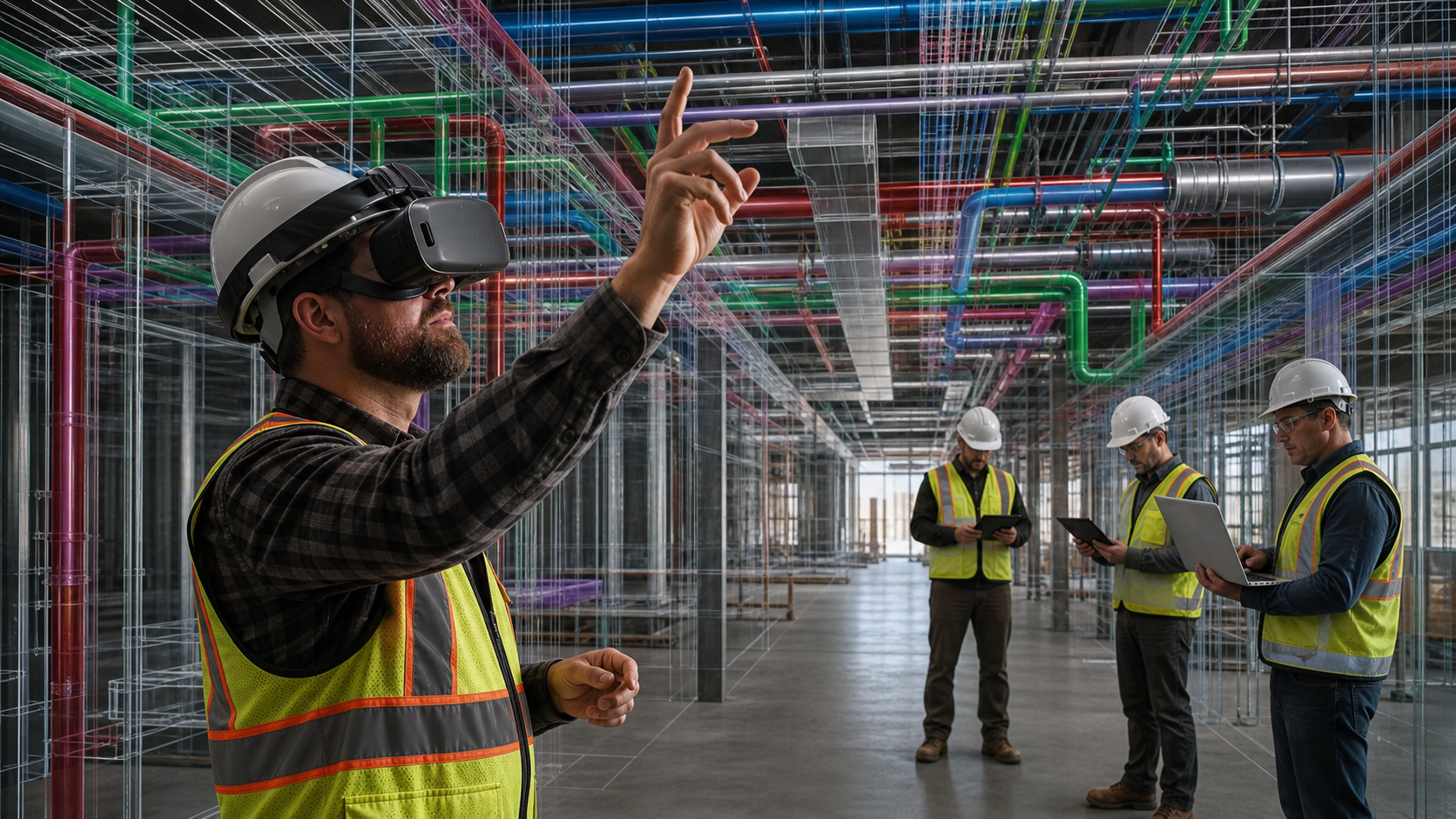
The issues this surfaces are not ones clash detection or a 2D sheet ever catches. A valve that reads accessible from above but sits out of reach at human height. A corridor that clears code on paper but feels tight walking it. Running a constructability review in VR requires standing in the space, which is what a shared spatial environment gives every stakeholder the chance to do.
Cross-Device Collaboration in the Review Room
A review works only if everyone can get into it, beyond just the person wearing the headset. That is why cross-device presence matters more than the headset itself.
In practice, real-time project collaboration lets one person move through the model in VR while trade partners, owners, and project managers follow on web or iPad, no download or training required. When the person in VR stops at a congested rack or tight corridor, the group stops there too. A trade partner can flag a sequencing conflict on the spot. An owner can raise a maintenance access concern without touching a headset. Every comment lands in one shared issue log, so nobody merges separate lists later.
Integrating BIM Reviews Into the Broader Construction Tech Stack
A review that lives outside the rest of the stack creates its own coordination gap. Someone has to move the model in, then move every flagged issue back out by hand.
When integration works, it disappears. Models pull directly from Autodesk Construction Cloud, BIM 360, or Procore, so the VR design review reflects the current federated version instead of a stale export. Issues created during review push into the same log the team already works from, in Revizto, ACC, or Procore, with status changes syncing both ways.
Without that connection, review becomes a side workflow. A superintendent flags a blocked access panel, and someone retypes it into the tracker later, or it never makes the log. Multiply that across dozens of trade partners, and review adds a step instead of removing risk.
BIM Review in Mission-Critical Construction
Mission critical projects raise the cost of a missed issue past what a typical change order covers. A clean room contaminated by rework needs full re-sterilization before work resumes. A hyperscale data center BIM project running behind schedule burns revenue every day the racks sit empty. A hospital electrical room built without maintenance clearance forces a shutdown to fix what should have been caught in design.
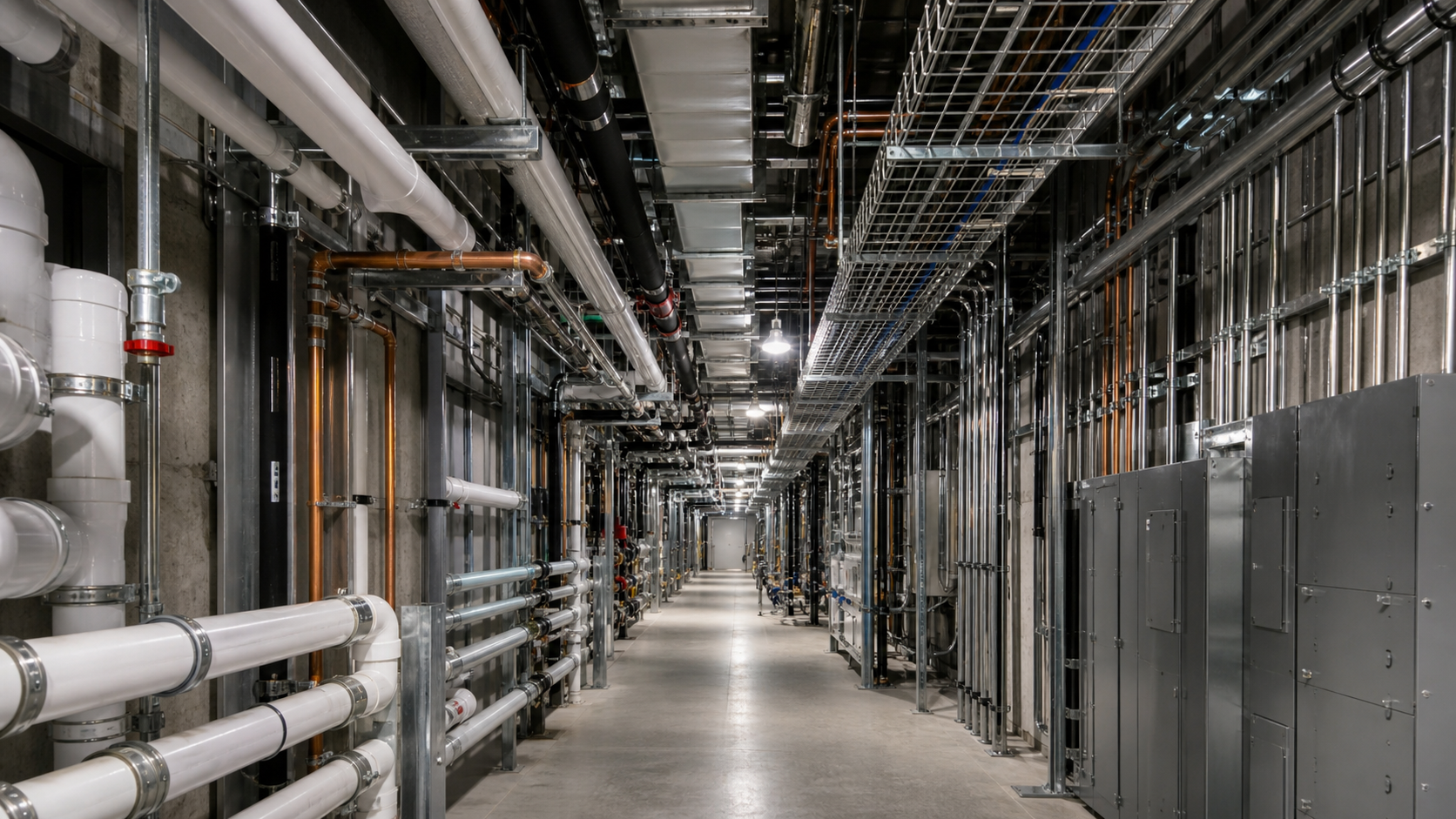
The issue classes that matter most on these projects rarely register on a clash report:
- Maintenance access in clean rooms, where a blocked filter or valve means re-sterilizing the space just to reach it
- Sequencing conflicts in electrical rooms, where arc flash risk turns a coordination gap into a safety issue
- Equipment clearance in dense MEP corridors, where racks and cable trays leave technicians no room to service what they installed
- Redesign cascades in hyperscale builds, where owners shift requirements mid-build and every trade must re-check data center build clearances against the new load
None of these show up as a geometry intersection. They show up when someone with field judgment stands in the space, at scale, and notices what a flat screen never surfaces.
How Resolve Closes the Gaps in BIM Review
Resolve fixes the three gaps this article describes: the wrong people driving, the wrong tools measuring readiness, and issues that never make the log. The Wellington Engine, Resolve's proprietary model-loading system, runs full federated models on wireless standalone Quest headsets without a PC tether or downsized mockups, so a superintendent can walk the space independently at full scale instead of watching someone else drive. That independence puts field judgment into the review where it belongs, before the design is locked.
Every stakeholder joins the same model at the same time regardless of device. A trade partner on web and an owner on iPad follow the person in VR without downloading anything or learning a new tool. When the person in VR stops at a congested rack or a tight corridor, the group stops there. Sequencing conflicts, blocked access panels, and clearance issues that pass every clash run get flagged on the spot by the people who know what breaks in the field.
Issues created during the review push directly into the log the team already works from in Autodesk Construction Cloud, Procore, or Revizto, with status changes syncing both ways. Nothing gets retyped from meeting notes. The AI Spatial Assist feature lets facilities managers and operations staff ask plain-language questions to find equipment or understand what they are looking at, so model context reaches the people who will run the building without routing every question through a BIM specialist. Resolve has supported over $50B in construction projects: connecting the people who know what goes wrong to the models that still have time to change.
Closing the Gaps in BIM Collaboration
Most BIM coordination problems do not start with bad tools. They start when the people who know the space best can not get into the model fast enough to apply that knowledge. Your superintendents, trade partners, and facilities staff carry field judgment that no clash detection run will replicate. Giving them a way to move through the model at full scale, without depending on a specialist to drive, is what brings that judgment into design review where it can change the outcome. Start a free trial with Resolve and put the right people in the model before work starts.
FAQ
What does immersive BIM review catch that Navisworks clash detection misses?
Navisworks answers one question: does geometry A intersect geometry B? Immersive BIM review surfaces the issues that pass every clash run clean, including a valve that clears surrounding structure but sits out of a technician's reach, a corridor that meets code on paper but feels impassable at full scale, and sequencing conflicts that only register when someone with field judgment walks the space. These are the issues that show up on site, not in the report.
What's the best way to run a BIM review when my superintendent, trade partners, and owner all need to participate but only one person knows how to drive Navisworks?
Put the person with field judgment in a VR headset so they can move through the model independently, and let everyone else follow on web or iPad without downloads or training. When the superintendent stops at a congested corridor or a tight equipment bay, the whole group stops there. Trade partners can log sequencing conflicts on the spot, and owner or facilities staff can raise maintenance access concerns without touching a headset. Every comment goes into one shared issue log, so nothing gets retyped from meeting notes later.
How do I reduce rework costs on a data center or pharmaceutical construction project?
Catch the issues that cost the most before work starts. On mission-critical projects, rework traced to late issue detection typically runs 5 to 15 percent of total project cost. Clean rooms, electrical rooms, and dense MEP corridors are where that cost concentrates, because the issues there, blocked filters, tight cable tray clearances, arc flash exposure from poor sequencing, never appear as geometry intersections. Getting a superintendent or facilities manager into the model at human scale, during design and pre-construction, surfaces those issues while they are still cheap to fix.
Resolve vs Autodesk Workshop XR for immersive BIM coordination on a large industrial project?
Resolve runs full federated models on wireless standalone Quest headsets without a PC tether, which matters on large industrial builds where model size and site access both create constraints. Workshop XR is marketed primarily toward engineers and designers on the Autodesk authoring side. Resolve targets the construction side, connecting to Autodesk Construction Cloud, Procore, and Revizto so reviews stay inside the coordination stack the GC and trade partners already use. For MEP-heavy projects where superintendents, trade partners, and owner facilities staff all need to get into the same model, that integration difference affects whether review becomes a live coordination step or a side workflow someone has to merge by hand.
Can a facilities manager review a building model in Resolve without BIM expertise?
Yes. Resolve opens full federated models across web, iPad, and VR without requiring Revit knowledge, Navisworks training, or file preparation. A facilities manager can walk through mechanical spaces, electrical rooms, and equipment access routes at full scale, mark up concerns, and log them directly into the project issue tracker. The AI Spatial Assist feature lets users ask plain-language questions to find equipment or understand what they are looking at, so model context reaches the people who will operate the building without routing every question through a BIM specialist.
It's time to build in months, not years.