


Sharing a BIM model with non-BIM stakeholders is one of those problems that looks like a training gap. The real problem is the way BIM reviews are held. The superintendent who can't move through a federated model has the right expertise; the handoff process just never got him in. Here's how to close that gap without a training session.
TLDR:
- 62% of AEC professionals cite non-BIM stakeholders as a top coordination challenge, per a 2022 Newforma study.
- U.S. construction rework exceeds $177 billion annually; late stakeholder feedback is a leading cause.
- VR headsets let superintendents and facilities managers walk the model at human scale, catching clearance issues a screen-share misses.
- Pin feedback to the model during reviews and sync it to Autodesk Construction Cloud, Procore, or Revizto so issues stay tracked.
- Resolve lets stakeholders query the model in plain language to find equipment and pull object properties without a BIM specialist present.
Why Non-Technical Stakeholders Struggle with BIM
A superintendent struggling with a Navisworks file for the first time is confused because the tool was built for someone else, not for him.
BIM authoring software assumes a user trained on relational geometry, view cubes, and clip planes. Facilities managers, owners, and trade partners were trained to read a building, not a federated model.
NIBS describes BIM's basic premise as collaboration across stakeholders at different phases of a project. That collaboration breaks down the moment the model needs specialist software or training just to view. According to AECBytes, BIM still tends to get stuck in the design phase instead of reaching the people who build and operate the project.
That is a design failure in how the model gets shared, not a training failure on the stakeholder's part.
Who Counts as a Non-Technical Stakeholder in a BIM Workflow
A non-technical stakeholder is anyone whose decisions shape how a project gets built or operated, but who was not trained to work inside BIM authoring software. That covers a wide range of people on a typical project. Superintendents and foremen bring field expertise to coordination but were never trained on Navisworks or Revit. Facilities managers and operations staff will inherit the building and need to verify maintenance access and system layouts before handover. Owners and project executives are accountable for cost, schedule, and quality, but rely on coordinators to interpret the model for them. Trade partners reviewing another discipline's scope before producing their own shop drawings often fall into this group too, particularly when the model lives in a platform they do not license.
What these roles share is not a lack of expertise. Each one carries judgment that directly affects delivery outcomes. A superintendent who cannot reach the model misses the chance to flag a sequencing problem before the concrete is poured. A facilities manager who cannot verify clearances signs off on maintenance access she will regret during the first service call. Getting these people into the model is not about broadening participation for its own sake. It is about bringing the right expertise into the coordination process before decisions are locked.
The Real Cost of Keeping Stakeholders Out of the Model
A 2022 Newforma study of 327 AEC professionals found that, as of that year, 62% ranked working with non-BIM stakeholders among their top BIM coordination challenges (no larger industry survey has superseded this figure).
When a superintendent or facilities manager cannot get into the model, their feedback arrives later, usually on site, after the work is installed. A valve nobody could reach in the model becomes a valve nobody can reach in the building, and someone has to cut it out and start over. Annual construction rework in the United States runs over $177 billion, with BIM clash detection gaps near the top of the cause list.
Keeping stakeholders out just moves that cost downstream.
What Each Stakeholder Actually Needs from the Model
Every role approaches the model with a different question, and the model needs to answer it fast or the stakeholder walks away.
- Superintendent: needs to walk the build sequence at human scale and flag what will not work in the field, like a duct run that blocks a doorway before it is installed.
- Facilities manager: needs to verify maintenance clearances, checking whether a technician can reach a valve or panel once everything around it is built.
- Owner: needs enough spatial understanding to approve with confidence, not sign off on a floor plan they cannot fully read.
- Trade partner: needs to see how their scope fits against everyone else's before drafting detailed shop models.
| Stakeholder | Primary Question | What They Need from the Model | Risk if Excluded |
|---|---|---|---|
| Superintendent / Foreman | Will this work in the field? | Walk the build sequence at human scale; flag obstructions before installation | Sequencing problems surface on site after work is installed |
| Facilities Manager | Can my crew service this equipment? | Verify maintenance clearances for panels, valves, and access routes | Inaccessible equipment found during first service call |
| Owner / Project Executive | Is this what we approved? | Spatial understanding sufficient to approve with confidence, instead of signing off on a floor plan | Late-stage change orders driven by misaligned expectations |
| Trade Partner | How does my scope fit against everyone else's? | See adjacent disciplines before producing detailed shop models | Shop models built on assumptions that conflict with the coordination model |
None of these needs require mastering BIM software. Each is a specific, job related question, and the model should answer it without a training session first.
Browser-Based and Download-Free Viewing Options
The fastest way to get a non-technical stakeholder into a model is a link. No installer, no license, no training session.
Browser-based viewers like Resolve's web viewer let a superintendent, facilities manager, or owner open a federated model from any device with a browser, join a live session, and see exactly what the VDC team is looking at. The coordinator stays in the headset or at their workstation; everyone else follows along on web or iPad.
That means a trade partner reviewing scope on a laptop in a site trailer and an owner following along on an iPad in a conference room can both be inside the same model at the same time. Resolving a coordination question no longer requires booking time with the one person who has Navisworks installed.
Using VR Headsets to Close the Spatial Understanding Gap
A 2D floor plan can be code compliant and still be wrong. A corridor might meet the required width on paper and still feel impassable once conduit racks and a fire riser eat into that clearance. That gap only shows up at human scale.
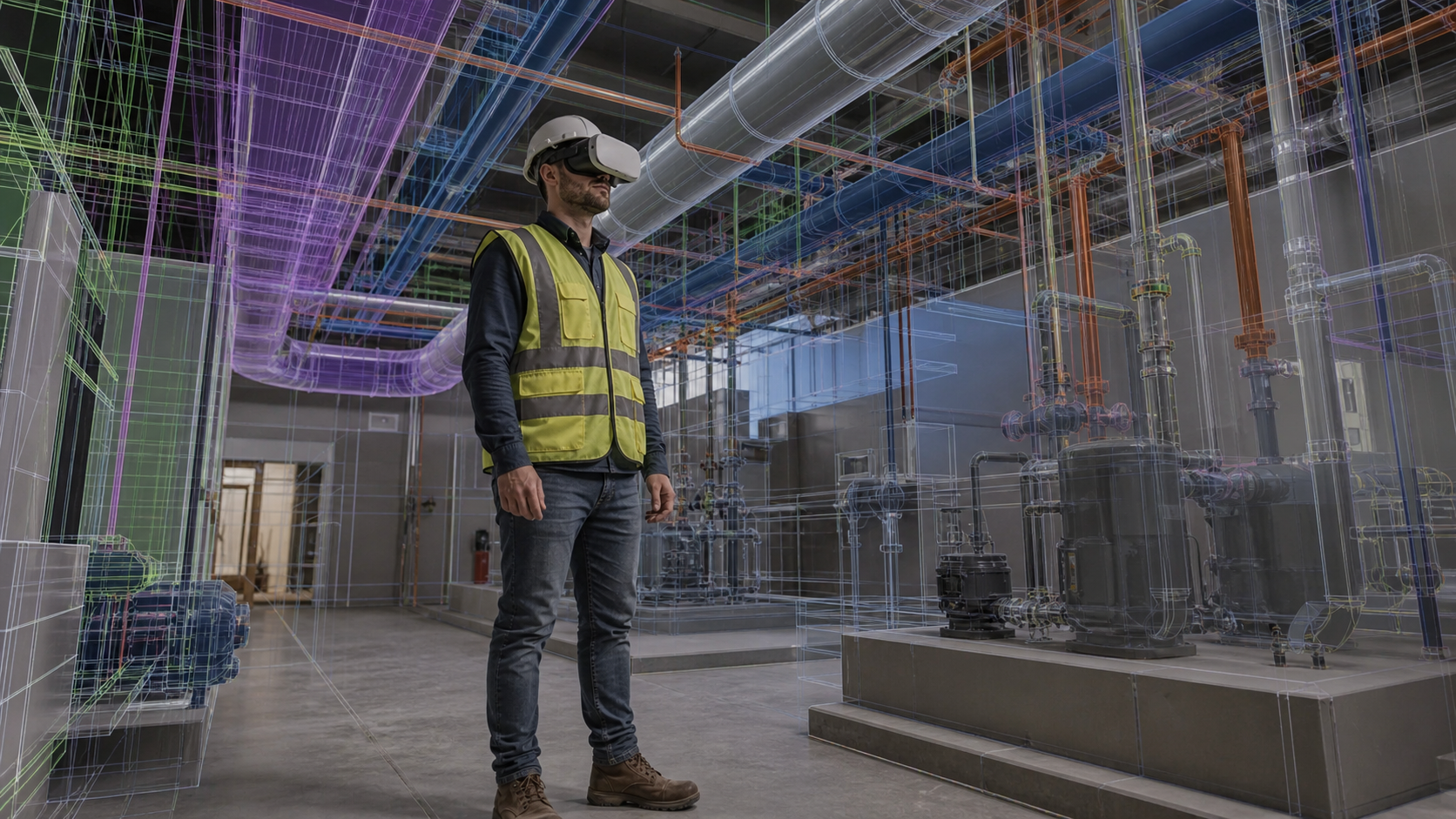
BIM virtual reality headsets close it by putting a person inside the model instead of in front of it. A superintendent walking a mechanical room notices a panel blocked by ductwork the moment he tries to stand in front of it, something a screen-shared Navisworks session rarely surfaces. A full-scale BIM VR review surfaces those conflicts before anyone sets foot on site.
A tethered, PC-based VR setup ties the headset to a workstation, with one operator driving while everyone else watches a monitor. A wireless standalone headset removes that leash: the superintendent, facilities manager, and trade partner can each run a constructability review in VR independently, at their own pace. That difference decides whether VR gets used in a coordination meeting or sits in a case behind the VDC desk.
How to Frame the Model for a Non-Technical Audience
Before a review starts, set the context in terms the stakeholder already understands. A superintendent knows a mechanical room; start there. A facilities manager knows which equipment her crew services most often; go to that system first. Letting the model answer a question the stakeholder already has is faster than explaining what the model contains.
Avoid leading with system names, discipline codes, or view configurations. Those are coordination shorthand for the VDC team, not entry points for a field or operations person. Instead, frame the session around a specific decision: does this access route work for a two-person maintenance crew, or will that duct run create a problem before the slab is poured?
Standalone VR headsets help here because they remove the screen altogether. The space becomes the interface. A superintendent who has never touched Navisworks can walk a mechanical room, look at a panel, and tell you whether a technician can reach it, because the experience maps directly to what he already knows. The model does not need to be explained; the space explains itself.
Keep early sessions short and goal-specific. One space, one question, one round of feedback. That is enough to build confidence and generate issues worth tracking. A broad "look around and tell me what you think" produces little. A targeted "walk this corridor and tell me whether your crew can move equipment through it" produces actionable input.
Running a Mixed-Audience Review Session
A mixed-audience review usually looks like this: a superintendent in a headset, trade partners on laptops, and an owner following along on an iPad, all using real-time model collaboration inside the same federated model at once.
Synchronized presence keeps everyone in the same place. When the VDC engineer moves to a mechanical room, everyone on web and iPad sees that room too, without needing to know how to get there. That matters most in the first few minutes, while a non-technical participant is still learning how the space is organized.
That shift from led to self-directed usually turns a passive observer into someone flagging real issues, the same pattern that makes VR design reviews outperform 2D plans for constructability.
Facilitation matters more than the tech. Direct questions, can you reach that valve from here, does this sequence make sense, get more out of a non-technical stakeholder than an open floor. Silence in these sessions usually means confusion, not agreement.
Turning Stakeholder Feedback into Trackable Issues
A comment made in a headset disappears once the session ends, unless someone captures it. A superintendent's remark that "nobody can reach that valve" only matters once it becomes a logged issue with a location, an owner, and a status.
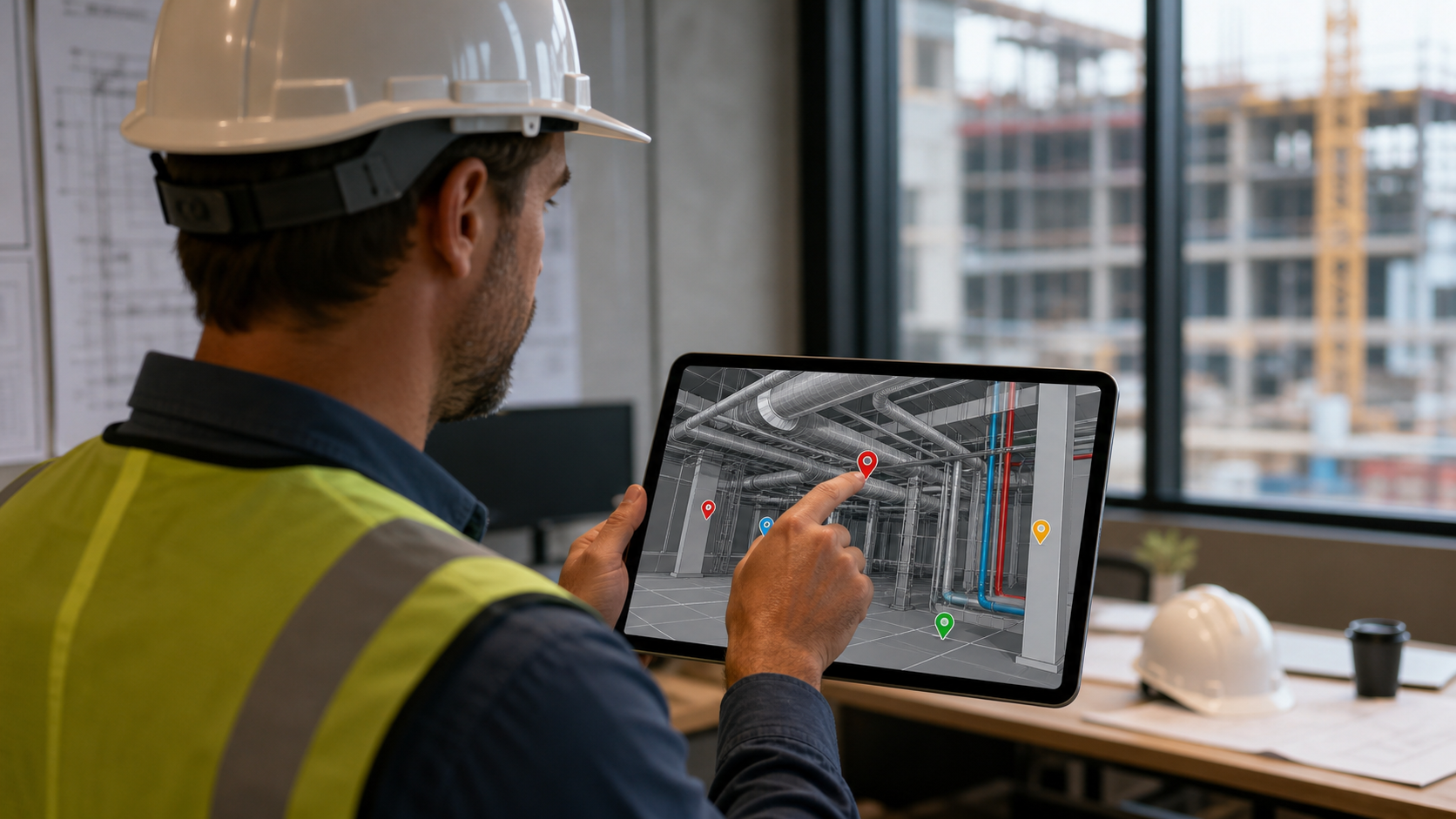
That is what separates a review from a walkthrough. A flagged concern, whether raised in VR, on web, or on an iPad, gets pinned to the exact spot in the model using issue tracking tied to the model with a description and a name attached.
Synced into Autodesk Construction Cloud, Procore, or Revizto, that annotation becomes a tracked issue: open, answered, resolved. Without that sync, feedback lives in a screenshot folder instead of a system someone is accountable to.
Using AI to Answer Model Questions Without a BIM Expert in the Room
A facilities manager does not need to know how to isolate a system in Navisworks. He needs to ask where the nearest shutoff valve is and get a straight answer.
That is the gap plain-language model queries close. A stakeholder types or speaks a question and gets pointed to the object, its properties, and its location using a BIM viewer on web, iPad, or VR, no BIM coordinator required. Where's the nearest fire damper to this room becomes a question anyone can ask.
This matters most between review sessions, when the VDC team is not available to drive. A superintendent checking a detail on site gets an answer on his own schedule, not the coordinator's.
How Resolve Bridges the Gap for Non-Technical Stakeholders
Resolve was built for the scenario this article describes: a federated model that needs to be useful to a superintendent, a facilities manager, and an owner, beyond the VDC engineer who assembled it. The Wellington Engine, Resolve's proprietary display system, runs full-size federated models on wireless standalone Meta Quest headsets without a PC tether and without downsizing the model. That means a superintendent walks the actual coordination model at full scale, not a stripped-down version prepared for a demo. A browser-based web viewer handles everyone else: trade partners on laptops, owners on iPads, all inside the same model at the same time without a download or training session required. Issue tracking is pinned to the exact location in the model and synced to Autodesk Construction Cloud, Procore, or Revizto, so feedback from a non-technical stakeholder becomes a logged issue with a status, not a note that disappears when the session ends. AI Spatial Assist extends that access further: a facilities manager can ask where the nearest shutoff valve is and get a direct answer, on their own schedule, without waiting on a coordinator. The result is that the people who know what goes wrong in the field get into the model while there is still time to change it.
Final Thoughts on Sharing BIM with Non-Technical Stakeholders
The gap between BIM and the people who build and operate the project is a solvable problem. Browser-based viewing, standalone VR, and plain-language model queries all exist so your superintendent or facilities manager can get answers without waiting on a coordinator. Getting more of your team into the model earlier is one of the cheaper ways to reduce what goes wrong in the field. Start a Resolve trial and see what your non-technical stakeholders actually flag when they can look around on their own.
FAQ
How do you share a BIM model with non-technical stakeholders who don't have Navisworks or Revit?
Send a browser-based link that opens the federated model without any software installation or training. Tools like Resolve let a superintendent, facilities manager, or owner join a live model session from a web browser or iPad, see exactly where the team is looking, and flag concerns in context. The BIM coordinator stays in the headset or at their workstation; everyone else follows along on whatever device they have.
What's the best way to get a facilities manager into a BIM model before handover?
Put them in a wireless VR headset or give them a web link, then ask them specific questions: can you reach that panel, does this access route work for your maintenance crew? Facilities managers do not need BIM training to answer those questions. They need spatial access to the model at human scale, and the ability to log what they find so it becomes a tracked issue instead of a note on a whiteboard.
How does VR improve BIM model reviews for non-technical stakeholders compared to 2D plan walkthroughs?
A 2D plan can show a corridor as code-compliant while conduit racks and a fire riser make it physically impassable. VR puts the superintendent, trade partner, or owner inside the model at full scale, so clearance problems, blocked panels, and tight access routes register the way they will in the field. Issues that pass automated clash detection in Navisworks and still pass a 2D page-turn review routinely surface in a VR walkthrough because the person reviewing it is standing in the space, not reading a projection of it.
Can AI help a superintendent or facilities manager get answers from a BIM model without a BIM coordinator present?
Yes. Plain-language queries let a stakeholder ask where the nearest shutoff valve is, or which equipment sits above a specific ceiling, and get a direct answer with location and object properties. Resolve's AI Spatial Assist works this way: type or speak a question, get pointed to the object. That matters most between review sessions, when the VDC team is unavailable and a field question needs an answer on the superintendent's schedule, not the coordinator's.
How do I turn feedback from a mixed-audience BIM review into trackable issues?
Pin each comment to its exact location in the model during the session, with a description and an owner attached. Resolve syncs those annotations to Autodesk Construction Cloud, Procore, or Revizto as open issues with status tracking. Without that sync, a superintendent's verbal observation in the headset disappears when the session ends. With it, the comment becomes part of the coordination record that someone is accountable to close.
It's time to build in months, not years.