

Your GC's coordination workflow caught the clashes. What it probably didn't catch is whether your maintenance staff can actually reach the equipment after everything else goes in. That's the problem worth solving before handover, and it's exactly what the best BIM facility management tools are built for.
TLDR:
- BIM facility management uses model data to manage maintenance access, equipment locations, and spatial clearances after handover.
- Most facilities teams inherit models they had no real input on, and access problems only surface after the building is built.
- Clash detection does not catch blocked panels, tight corridors, or clearances that only read as problems at human scale.
- Solibri, Revizto, and Newforma Konekt serve coordination and QA workflows well, but none offer wireless spatial review for non-specialist owner teams.
- Resolve runs full federated BIM on wireless Meta Quest headsets, with browser and iPad access for owners and no BIM training required.
What Is BIM Facility Management?
BIM facility management refers to using Building Information Modeling data to support the ongoing operations of a building after construction. The model carries geometry, system data, equipment specs, and spatial relationships that operations teams use to manage maintenance, plan access, and track assets across a facility's life.
For owners and facilities staff, this differs from what VDC engineers care about during construction. A BIM coordinator checks that systems don't clash and the design is buildable. A facilities manager asks whether a technician can reach an air handler without dismantling half the ceiling, or whether a maintenance corridor is wide enough to move equipment through during a future replacement. Those questions are spatial and hard to answer from a 2D drawing.
The handover gap is where most of this breaks down. Facilities teams often inherit models they had little input on, approved through a process that didn't give them enough visibility to catch access or maintainability problems. By the time those issues surface, the building is already built.

How We Ranked These Tools
Ranking tools for BIM facility management differs from ranking BIM collaboration tools for VDC coordination. The criteria shift once you move downstream of construction and into operations.
We evaluated each tool against what actually matters to owners, facilities staff, and operations teams:
- Accessibility for non-BIM specialists who won't spend hours learning software
- Support for spatial or immersive review, so teams can assess maintenance access and clearances before handover
- Integration with common CDEs like Autodesk Construction Cloud, Procore, and Revizto
- Cross-device access across web, tablet, and VR headset
- The ability to flag operability issues, not just design clashes
As Matterport notes, BIM use cases extend well beyond initial construction into maintenance, space management, and resource allocation. The tools that serve facilities teams best are built with that reality in mind.
Best Overall BIM Facility Management Tool: Resolve
Resolve is purpose-built for immersive BIM review, and for owner and facilities teams who need to engage with complex models before handover, it stands out from every other tool on this list.
The core of that advantage is the Wellington Engine, a proprietary rendering system that runs full-scale federated BIM on wireless Meta Quest headsets. No PC tether. No model downsizing. Owners and facilities staff join live reviews through a browser or iPad without installing anything or learning BIM software. That matters because the people who most need to catch maintainability problems are rarely the people who know Navisworks.
- Wireless standalone VR on Meta Quest: full federated BIM at human scale, no tethered PC required
- Web viewer and iPad access for owners and operations staff, with no software install required
- AI Spatial Assist lets non-specialists ask plain-language questions to find equipment and navigate spaces, supporting BIM model access for non-experts
- Bidirectional issue sync with Autodesk Construction Cloud, Procore, and Revizto
- App Portal brings 2D drawings, RFIs, and submittals from ACC, Procore, Newforma Konekt, and Revizto into VR without removing the headset
- Reality capture support lets teams overlay meshed site scans with BIM for collaborative review across VR, web, and iPad
"In just 5-10 minutes in Resolve they come up with solutions together that would have taken weeks of back-and-forth screenshots and emails."
Resolve catches what clash detection misses: panels blocked by surrounding work, corridors that read fine in plan but are physically tight at scale, which is why BIM review in VR matters at handover, clearances that only register as problems when you're standing in front of them. For facilities teams, catching those issues before handover separates a building that's easy to maintain from one that requires rework on day one of operations.
Autodesk Workshop XR
Autodesk Workshop XR is Autodesk's immersive design review product, built as a natural extension of ACC for teams already working inside that ecosystem. Models sync automatically from ACC, issues track back into the same system, and multiple users can collaborate on standalone VR headsets over WiFi, which supports VR construction coordination handover workflows.
There are real strengths here for design and engineering teams who live inside the Autodesk ecosystem. That tight integration reduces setup friction. But the product markets to engineers and designers, not to facilities managers, owner operations staff, or superintendents who need spatial access at handover.
Where It Falls Short for Owners and FM Teams
- No cross-platform support for Procore, Revizto, or Newforma Konekt, which limits usefulness for owners running mixed-tool environments.
- No AI navigation layer for non-specialists trying to locate equipment without a BIM coordinator present.
- Issue tracking and model sync are ACC-dependent, so teams outside that ecosystem get little benefit.
For owner and facilities review workflows, the lack of non-specialist access and broader integrations is a real gap.
Revizto
Revizto is a cloud-connected coordination tool with real strengths for VDC and BIM specialists: federated model viewing, clash detection, issue automation, and detailed reporting in one desktop-first product.
For technical coordination workflows, Revizto is solid. Teams that want to run constructability review in VR will find the limitation for facility management use cases is specific: its VR feature has not been updated in roughly a decade and requires a tethered PC running SteamVR. That is a meaningful barrier for owner representatives and operations staff who need wireless, accessible spatial review. Revizto acknowledges this directly, directing serious VR users toward Resolve rather than supporting those workflows itself.
As a coordination tool, Revizto works well and integrates with Resolve for bidirectional issue sync. For immersive BIM reviews involving facilities managers and owner teams, Resolve is the purpose-built choice.
Solibri
Solibri is a BIM quality assurance tool built for architects, engineers, and construction professionals who need rigorous model validation before a project breaks ground.
As SelectHub notes, Solibri works well for teams looking to proactively identify and resolve potential issues through rule-based validation and model checking. For technical users in architecture and engineering, that's a strong fit.
- Rule-based model validation and code compliance checking
- Clash detection and detailed QA reporting
- IFC-based model analysis for design and engineering teams
For owner and facilities teams, Solibri misses the mark. It has no immersive VR review, no wireless headset access, and no way to walk non-specialists through a model to check maintenance clearances or equipment access before handover. It answers "does this model comply with the rules?" rather than "can a technician actually reach that valve after the ceiling goes in?" Research on research on VR BIM operability findings shows why that spatial check matters.
Newforma Konekt
Newforma Konekt (formerly BIMtrack) is a project information management and issue-tracking tool used alongside Navisworks and Revit, not a BIM review environment on its own.
Here is what it covers:
- Issue tracking via plugin for Navisworks and Revit
- Action item and document management across project teams
- Access inside Resolve's App Portal, so teams can review Newforma documents alongside 3D models in VR
For VDC coordinators who need structured issue logs layered on top of existing coordination workflows, it does that job well. For owner teams and facilities staff who need to walk through a model and evaluate whether a technician can reach equipment after the ceiling goes in, it offers nothing. No immersive review, no headset access, no spatial context. The spatial review Newforma Konekt cannot provide is exactly what Resolve covers.
Feature Comparison Table of BIM Facility Management Tools
| Feature | Resolve | Autodesk Workshop XR | Revizto | Solibri | Newforma Konekt |
|---|---|---|---|---|---|
| Wireless VR headset support (no PC tether) | Yes | Yes | No | No | No |
| Web viewer (no download required) | Yes | No | No | No | No |
| iPad / mobile access | Yes | No | No | No | No |
| AI-assisted model navigation | Yes | No | No | No | No |
| Non-specialist / facilities manager access | Yes | No | No | No | No |
| Bidirectional issue sync with ACC | Yes | Yes | No | No | No |
| Bidirectional issue sync with Procore | Yes | No | No | No | No |
| Bidirectional issue sync with Revizto | Yes | No | Yes | No | No |
| Reality capture / site scan support | Yes | No | No | No | No |
| 2D document access inside VR | Yes | No | No | No | No |
Why Resolve Is the Best BIM Facility Management Tool
Facilities managers who miss access or maintainability problems during review are the ones who live with the consequences. Resolve gives them a way to see what they are approving: full-scale BIM on a wireless headset, with no downloads, no BIM training, and no coordinator required to navigate for them. AI Spatial Assist lets operations staff find equipment by asking plain-language questions, and the web viewer means anyone on the owner's team can join a live review from a browser.
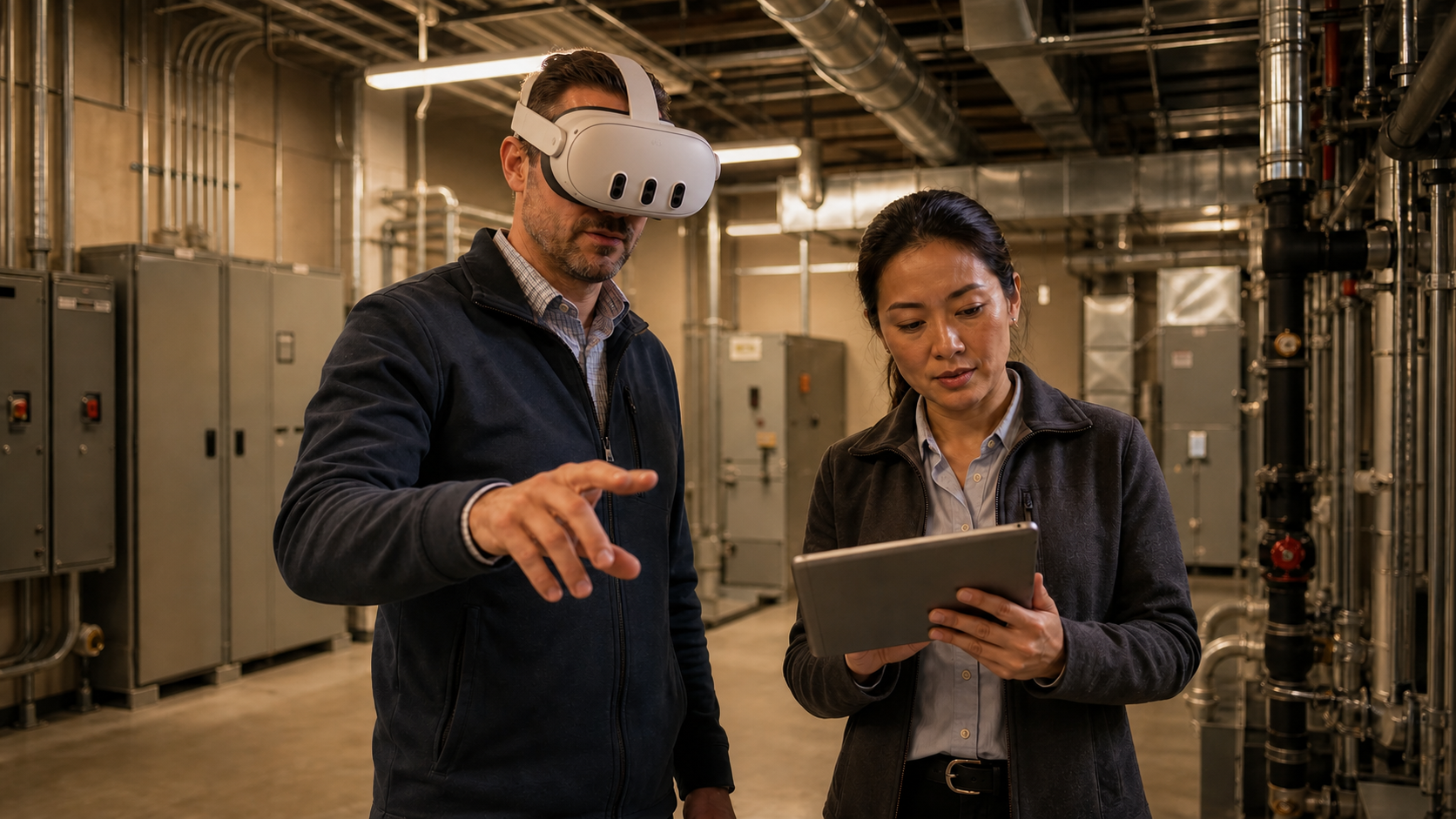
Every issue flagged in that review flows back into the coordination workflows the GC is already running, through bidirectional sync with ACC, Procore, and Revizto, closing the gap between VR BIM and FM maintenance. Handover stops being a handoff of problems. It becomes a record of what was already caught and resolved, and the BIM VR ROI and construction savings reflects that.
Final Thoughts on BIM Facility Management Tools
Facilities managers who catch access problems before handover avoid the rework that follows when a technician can't reach what they need on day one. The tools that make that possible are the ones built for people who aren't BIM specialists. If your team wants to close that gap before your next handover, see Resolve in action.
FAQ
How do I choose the right BIM facility management tool for an owner or operations team?
Start with who actually needs to use it. If your facilities staff lack BIM training, tools like Solibri, Revizto, or Newforma Konekt require specialist knowledge and offer no path for non-technical reviewers to walk through a model independently. Resolve is built for that gap, with browser-based access, wireless VR, and AI-assisted navigation that works without a BIM coordinator present.
Is Resolve better than Autodesk Workshop XR for owner-side facility reviews?
For owners and facilities managers who need to review maintenance access, equipment clearances, and operability before handover, Resolve covers ground Workshop XR does not: cross-platform access on Procore and Revizto, a web viewer requiring no download, and AI navigation for non-specialists finding equipment in complex models.
When should facilities teams get involved in BIM review, and which tools support that timing?
Facilities input should happen before the building is built, not at handover. Access problems and maintainability issues caught in a model are cheap to fix; the same problems found after the ceiling goes in require rework. Resolve, Autodesk Workshop XR, and Revizto all support pre-handover review, but only Resolve gives non-specialist facilities staff the access to join that review independently across web, iPad, and wireless VR.
Can Revizto or Solibri replace Resolve for immersive facility management reviews?
No. Revizto's VR feature requires a tethered PC and has not been updated in roughly a decade; Revizto itself directs serious VR users toward Resolve. Solibri is a rule-based model validation tool with no immersive review capability at all. Both serve specific technical coordination needs well, but neither gives facilities teams a way to walk through a full-scale model and check whether a technician can reach a piece of equipment.
What does Resolve add to a facility management workflow that Newforma Konekt does not cover?
Newforma Konekt tracks issues and manages project documents alongside Navisworks and Revit. It has no spatial review environment, no headset access, and no way for a facilities manager to assess clearances or access routes in three dimensions. Resolve covers that review layer directly, and it brings Newforma documents into VR through App Portal so teams can reference 2D records without leaving the model.
It's time to build in months, not years.