

A field lead stands in a plant room with no signal, tracing a pipe run that needs to pass through three levels of MEP. The iPad shows nothing. She makes an assumption, and that assumption is where rework starts. Resolve Field, Resolve's iPad app, has an explicit offline mode built for this exact moment: it gives full navigation of the federated model and the same review tools field leads use when connected, with no wifi or cell signal required, and syncs model updates once connectivity returns.
TLDR:
- Field leads who can't load a model make assumptions. Those assumptions turn into RFIs and rework.
- Resolve Field, Resolve's iPad app, has a dedicated offline mode and runs with no wifi signal.
- Offline mode gives full model navigation and full field work on the iPad, not a handful of saved views.
- Model updates sync automatically, so the field team works from current geometry without manual re-downloads.
- The same iPad connects into the live session VR and web participants use, with no separate viewer or desktop install.
Why Field BIM Access Breaks Down
Steel framing blocks signals. Concrete kills them. Subterranean mechanical rooms and enclosed plant spaces are often complete dead zones, and that's where field teams need model access most. A superintendent walking a congested MEP corridor with a routing question has no useful fallback if the model won't load.
The problem compounds fast. An unanswered question becomes an assumption. An assumption becomes a field decision. That decision, made without model context, is where RFIs and rework originate. As one analysis of field BIM tool design notes, poor connectivity on construction sites makes using BIM in the field difficult. Cloud-dependent tools fail at the worst possible moment.
Field project managers used to handle this by calling someone at a BIM Box or making a trip back to the trailer just to get a quick answer. That round trip cost time the schedule did not have, and it still left the question unanswered until someone returned with the right screen in front of them.
What Real Offline Mode Looks Like
Offline access gets misunderstood. Most teams assume the app throws an error and waits for signal. Real offline mode works differently: the model lives on the iPad itself, downloaded and stored before anyone leaves connectivity, so geometry, metadata, and object properties all work with no network request.
The approaches vary, though:
- Full offline mode lets a field user move freely through the model, inspect BIM properties, mark up issues, and capture annotations, all on-device. Resolve Field, Resolve's iPad app, runs this way: full navigation, properties, and markup with no wifi signal, and it syncs model updates automatically once the connection returns.
- Limited caching stores only a few saved views or a reduced model slice.
- Hybrid modes fall somewhere between: recent views cached, full navigation blocked.
A read-only, partial cache won't help a field lead who needs to trace a pipe run through three levels of MEP.
How Resolve Field Works Offline
Before the crew walks out of Wi-Fi range, someone needs to trigger the download. The model stores locally on the iPad, so once it has loaded, the app opens and navigates with no wifi or cell signal. The field lead moves through the full federated model on device, the same geometry and metadata reviewed in the live session, with no BIM Box or trailer trip required.
Models come from Autodesk Forma, ACC, BIM 360, Procore, or direct upload, and the project's BIM metadata comes with them. There is no separate export step that strips properties out before the file reaches the field.
When the model updates upstream, the cached version goes stale. A refresh requires reconnecting and re-downloading, which means field teams on an older cache may be working with geometry that no longer reflects current coordination.
Large Models on an iPad
Federated BIM files regularly exceed 1 GB, and iPads are not workstations. As one analysis of construction frontend challenges notes, BIM files exceeding 1 GB cause slow load times and crashes without the right optimizations in place.
Resolve's Wellington Engine is native C++, cross-compiled to Metal on iPad, built around virtualized geometry and custom occlusion culling that skips geometry outside the current view. It ingests NWD and NWF files, RVT links, and IFC directly, with no manual model cutting required before a field team can use it.
A few things are still worth planning around.
- Field teams get the federated model for their project, not a reduced slice of it.
- iPad storage still matters on dense MEP-heavy projects, so keep models the field team does not need off the device.
- Scope by workday: mechanical and electrical for MEP coordination walks, structural for sequencing checks. A crew in a plant room does not need the entire site stored locally, just the relevant zone.
Automatic Model Sync
Resolve Field syncs model updates automatically, so the iPad does not drift onto stale geometry. When the iPad connects to the network, updates made to the model in the CDE flow through to Resolve on their own. No re-upload, no manual re-download. Work done on the iPad, including annotations and issues, syncs back to the project issue log, whether that's ACC, Forma, Procore, or Revizto, once the iPad is back online.
Compare that to the old failure mode. A field lead spends an hour walking a cached model, marks up three clash detection issues, and finds out the coordination team replaced that zone two days earlier. The annotations land on geometry that no longer exists in the current model.
One habit avoids that outcome: open Resolve Field on site wifi or in the trailer at the start of the day. Updates arrive before the walk starts, so the crew is working from current geometry from the first tap.
Built for the Job Site
Job site conditions don't forgive small touch targets or low-contrast screens. Sunlight, work gloves, and a hard hat all work against an app that was built for a desk. The tools that hold up are the ones that open fast and navigate without a learning curve. Resolve Field gives field leads full navigation on iPad, so they get answers on the spot instead of waiting on a BIM specialist to walk them through it.
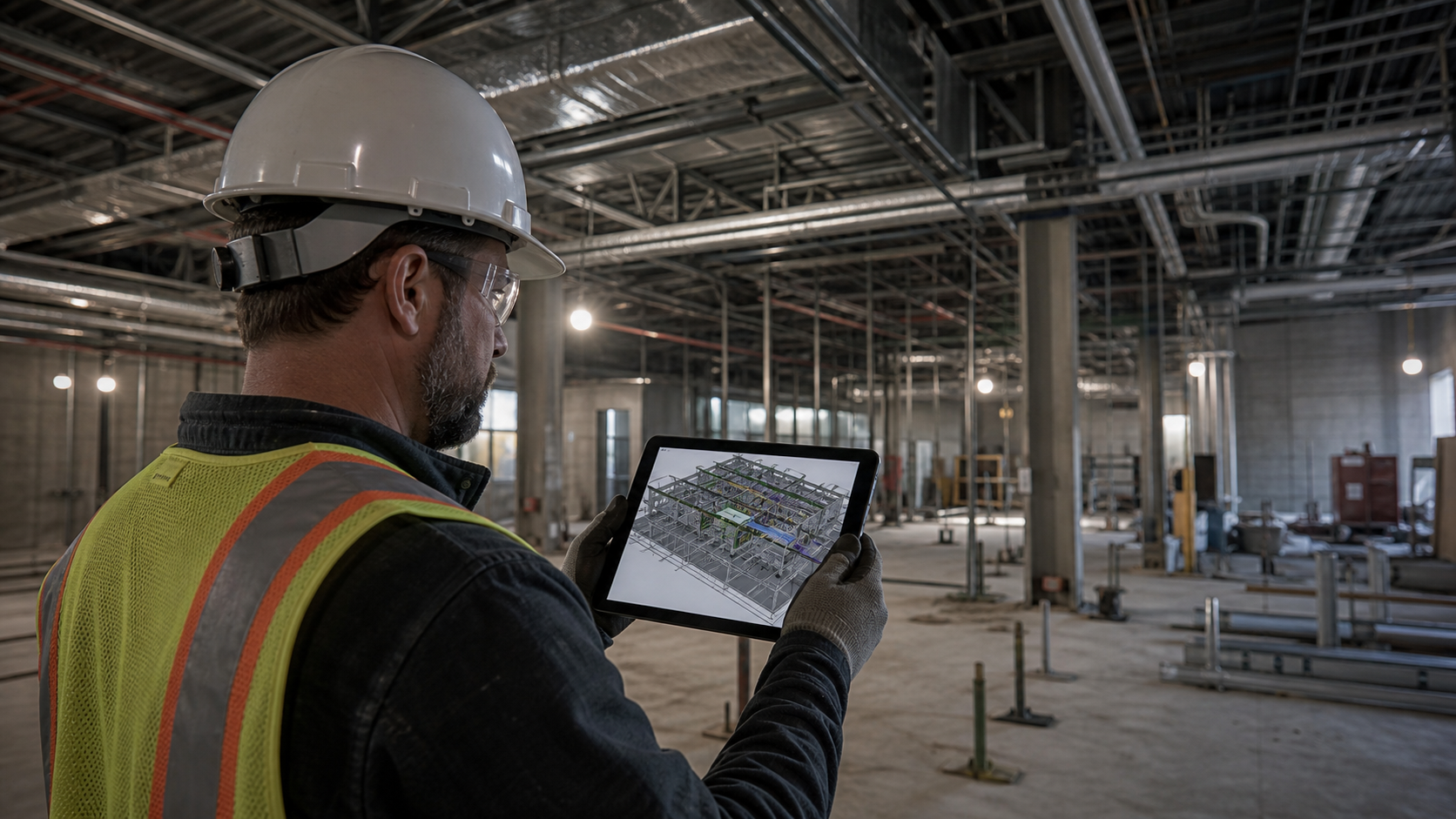
The physical constraints are specific:
- Large touch targets, around 44x44 pixels or bigger, so a tap lands cleanly even with gloves on.
- Readable contrast in direct sunlight, so geometry stays visible instead of washing out on a standard screen.
- Few menu layers, so a superintendent who rarely opens a BIM tool gets to the right spot quickly instead of hunting through a file hierarchy.
The user profile compounds the UX demand. A foreman doing a structural sequencing check is not a BIM coordinator. Asking them to parse a file hierarchy or toggle discipline layers defeats the purpose of BIM access for non-experts entirely.
VDC coordinators can set up the model and name zones ahead of time, so field users land in the right area fast without navigating the full file structure themselves.
Resolve Field Compared to Other iPad Options
Resolve Field has an explicit offline mode, and that is the bar to hold any BIM viewer for iPad or web to. Before a crew depends on an app in a dead zone, ask each vendor three questions. Does offline mode include full geometry navigation or only saved views? Can field users create and store annotations without signal? How do model updates reach the device?
| App | Offline Navigation | Annotation Offline | Notes |
|---|---|---|---|
| Resolve Field | Full | Yes | Works with no wifi signal; model updates sync automatically |
| Autodesk Forma (ACC mobile) | Yes | Limited | Requires pre-download; sheet and model viewing supported |
| Dalux BIM Viewer | Yes | Yes | Known for field-focused offline workflows |
| Trimble Connect | Partial | No | Cached views only; full navigation requires signal (per vendor docs) |
| OpenSpace BIM+ | Yes | No | Sheet-aligned navigation; saved views not yet in offline mode |
Setting Up Resolve Field for the Walk
Resolve's offline mode removes the cache-version problem, so setup stays short. The work that remains is getting the right model onto the iPad before the crew leaves coverage.

Steps worth completing before anyone leaves connectivity:
- Link the model from Autodesk Forma/ACC, BIM 360, or Procore, or upload it directly.
- Federate the disciplines the project needs.
- Open Resolve Field on site wifi or in the trailer so the model loads to the iPad.
- Test it once in airplane mode before the first walk.
- Tell the field team which zones and views to start in.
Clear view and zone naming still matters. "Level 3 MEP North" is faster to find under a hard hat than "Model_Fed_v14_L3_Mech_Elec_Final2."
Who Uses Resolve Field Offline
Offline iPad BIM access serves distinct roles in distinct ways.
Field project managers get quick answers from the model on site. No BIM Box, no trip back to the trailer to check a detail.
Superintendents run constructability checks in a congested corridor. They pull up geometry, verify clearances, and log concerns on the spot, without waiting for a VDC coordinator.
Specialty contractors doing specialty contractor BIM coordination rely on it most in plant rooms and tight MEP zones. The model shows routing depth and vertical stacking a drawing cannot.
Facilities staff reviewing access routes before handover trace maintenance paths and check equipment clearances with no signal.
Safety leads checking egress and emergency access routes need model geometry in the same spaces where signal is least reliable. A cached model on-device keeps that review grounded in actual geometry, not 2D interpretation.
One Session Across Every Device
Resolve Field connects the iPad into the same live session that VR participants on Meta Quest and web participants already share. When connected, a field lead on iPad can follow a VR user's perspective in real time or break into solo mode and move through the model independently. Offline, that same iPad keeps full navigation, no separate viewer and no desktop install required. Issues marked up on iPad sync into ACC, Forma, Procore, and Revizto issue logs, so the project works from one issue log instead of several.
For projects where signal is inconsistent, that lightweight footprint matters. The Wellington Engine, built in C++ with virtualized geometry and custom occlusion culling, handles large federated models typical on heavy-MEP projects without requiring a workstation-class device. A specialty contractor in a plant room gets the same federated BIM models on the jobsite the coordination team reviewed in VR, displayed on an iPad at the network edge.
Resolve has supported over $50B in construction projects and more than 6 GW in data center portfolios. Hyperscale data centers, pharma facilities, and water treatment plants put the most complex geometry in the spaces furthest from reliable signal. Resolve's cross-device architecture is built around that reality.
Taking BIM Into the Field on iPad
Field teams do not need a perfect signal. Resolve Field gives them full model navigation and field work offline, and model updates sync on their own once connectivity returns. A crew in the plant room, the mechanical room, or the basement works from current geometry, not a stale cache. Start a free trial and get a 7-day free trial of Resolve.
FAQ
Does Resolve Field work on iPad with no wifi signal?
Yes. Resolve Field has an explicit offline mode built for job sites with no signal. Field teams get full navigation and can keep working on-device, and once connectivity returns, model updates sync automatically.
How do I set up Resolve Field for a job site with no signal?
Link or upload the model, then federate the disciplines the crew needs for that scope. Open the app on wifi so the model loads, then test it in airplane mode before anyone leaves connectivity. Share zone names with the crew so they can find their area without guesswork.
Can a superintendent or foreman use BIM on iPad without a BIM coordinator?
Yes. Resolve Field gives a superintendent full navigation offline, with no coordinator needed on-site. Annotations sync to the project issue log once the device is back online. The VDC team handles model setup and view naming ahead of time, so the field user just taps and goes.
Resolve Field vs. Dalux BIM Viewer for offline field access?
Both tools support field offline use, and Dalux handles annotation without signal. Resolve Field's strength is full offline navigation paired with the same live session that VR and web participants use, so a field lead stays in the same project context. Model updates also sync automatically once connectivity returns.
Why does a clash-free model still cause field problems after coordination?
Automated clash detection confirms that geometry does not physically intersect. It does not confirm that equipment is reachable, that maintenance access routes are usable at human scale, or that installation sequencing makes sense in the field. Issues like a panel blocked by surrounding mechanical work or a corridor that is code-compliant in plan but physically impassable under load pass both 2D review and clash detection. Those issues surface in the field unless someone with field judgment has walked the model before construction starts.
It's time to build in months, not years.