

.png)
Resolve gets better in two ways: our customers tell us where it needs to improve, and we push ourselves to modernize the experience even before anyone asks.
Some of this summer's upgrades started as requests from teams running reviews on real projects; others came from our own conviction that the interface needed to be faster, cleaner, and easier to navigate. Here's an overview of the changes that will make your daily BIM reviews better:
Product UI facelift
We rebuilt the interface on a new tech stack and tuned it for speed. Pages load faster and the menus and panels respond the moment you click. Here's what you'll notice first:
You reach your projects faster. The dashboard leads with Projects and keeps navigation up front. The workspace dropdown groups each team under its parent company, so the right project is one click away. The models page adds search, breadcrumbs, and clearer processing states.
More powerful annotation management. Click an annotation to open a detail panel, update its status inline, and jump to its exact spot in the web viewer. Hover over any annotation to preview it, and make edits without leaving the page.
Manage teams and invites. You can now search for individual users and view any pending invites. The invite flow also shows which email domains are in your list, so you can manage external collaborators.
Watch the whole dashboard walkthrough:
Expanded team roles
We added a new role for teams so that you can invite stakeholders into models with limited access.
Reviewers can open models and leave comments, but they don't have access to upload models, delete content, or change your project structure. This way, your models and annotations stay protected and you can get more voices to weigh in.
Previously, when you wanted to add someone to a review, it was through a one-time web link or by adding them to a team with editing privileges.

Web viewer upgrades
Sectioning tool
You can now slice through your models directly in the web viewer to cut into walls, floors, and congested MEP areas and see exactly what's inside. Section planes stay in sync between the web viewer and VR, so one person can adjust the cut in a headset while everyone else watches it update live in their browser.

Feature parity
Our web viewer is now out of beta and has full feature parity with our VR app, including annotations, measuring, and the new sectioning tool, so you can review models in your browser without downloading or installing anything. It's a faster, easier way to get more of your team into a model, and it's where we're focusing our development going forward.
Note: The upgrades to our webviewer also coincide with the retirement of our desktop app. If you’re still using the desktop app, it’s time to migrate over to the web viewer, which you can use on a computer or iPad. When you switch to the web viewer, you get upgrades instantly without having to install updates.
Layers hierarchy
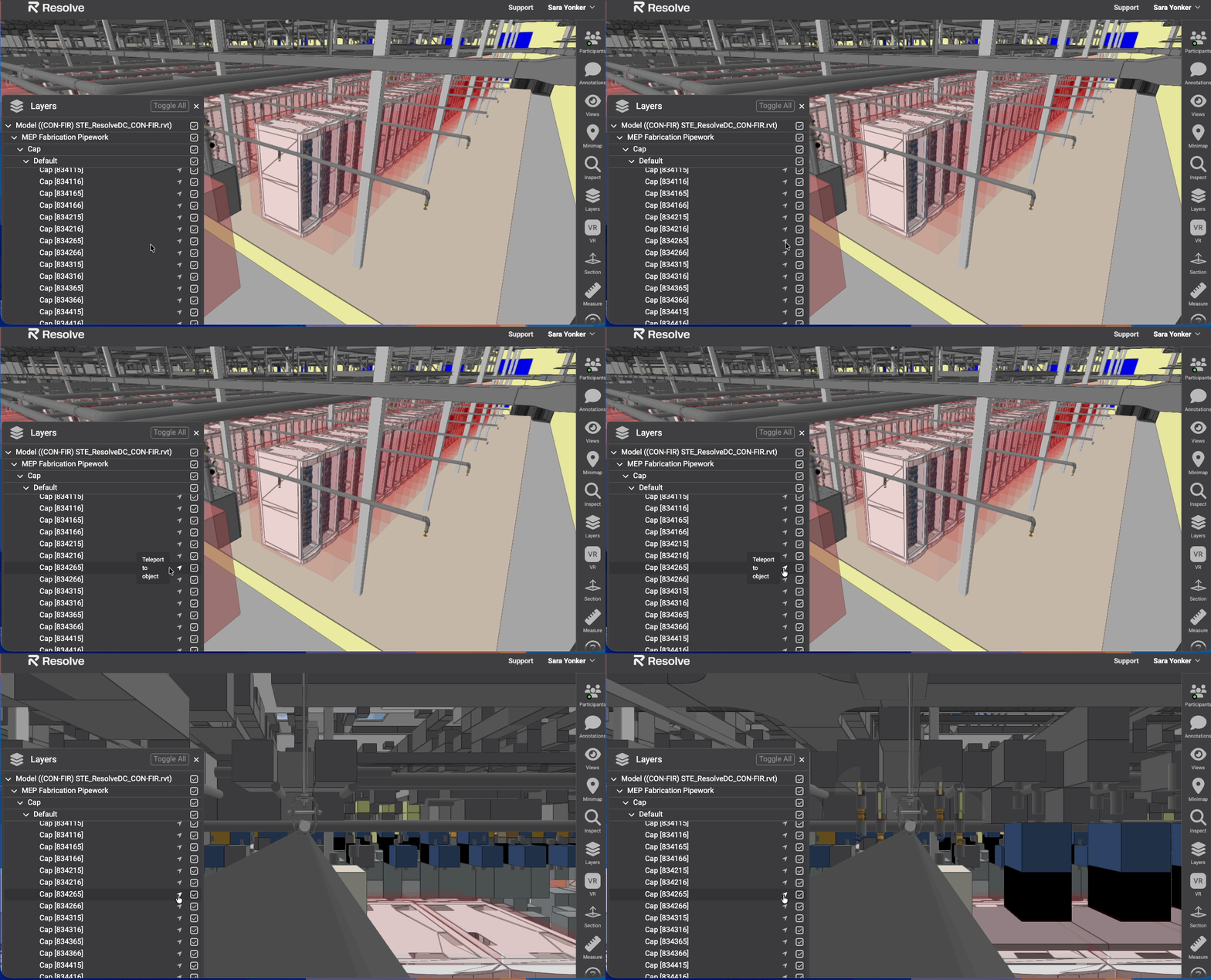
We’ve updated our layers hierarchy to make it easier to navigate and give you the ability to jump to any destination directly from the layers window.
The model tree opens and expands faster now, and the parent object stays pinned and highlighted at the top as you explore, which keeps your place in the hierarchy clear at every level.
You also save time navigating the model from the layers window. If your model has room metadata, every room will be listed in the panel and you can teleport from one room to another by selecting the room you want to review.
This also works for objects inside any room. Go directly to an object by selecting it from the layers panel.
Model federation
Resolve’s Model Federation lets each discipline push their files directly from Autodesk Forma and eliminates the need for separate container files.
Now every team and every discipline can upload their models separately, and the federated model updates automatically. If one team is behind, your review doesn't sit waiting on them.
You point each discipline to their Autodesk source once, and Resolve does the rest. We meet you where you already work.
Single sign-on
You can now sign in to Resolve through your organization's identity provider, so your team gets one secure, streamlined login instead of another set of credentials to manage. SSO is available for enterprise customers who need it.

It's time to build in months, not years.